At some point the web stopped being a place you could just read things. Articles came wrapped in autoplay videos, sticky headers, newsletter popups and related-content carousels. Reader modes exist for exactly this reason. Chrome actually has one, so why build my own?
- Chrome's reader mode journey started with an experimental "DOM Distiller" that never shipped properly, and what eventually landed is buried under More Tools in the menu. Not exactly a vote of confidence from Google itself.
- Content extraction is inconsistent: non-article parts are not removed reliably, images aren't supported at all, and there's no way to export an article.
- It renders in continuous scroll — which is exactly the part I wanted to escape.
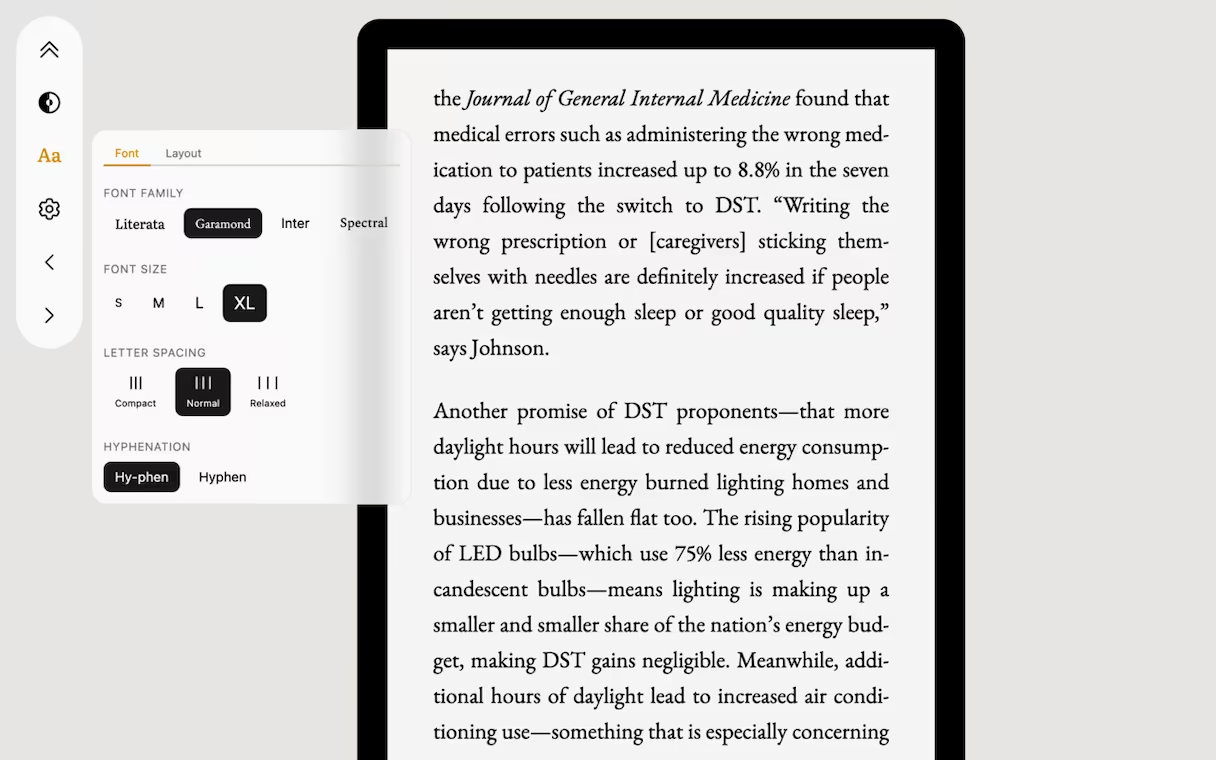
Pagination was the starting point. No other reader mode or extension to my knowledge actually offers it. But the real goal was broader: the best reading experience I could build, with extraction that handles what other readers miss and additional features like a built-in dictionary, inside a clean understated UI that stays out of the way. So I built BookLike.
How a Chrome Extension Actually Works
A Chrome extension lives in two separate contexts. The content script runs on the web page; it can read and manipulate the DOM but is sandboxed from the page's JavaScript scope. The background service worker runs in the extension's own isolated context — it can make network requests without CORS restrictions and access extension APIs, but doesn't have DOM access.
There's a third layer on top of both: the MAIN world of the host page. Chrome's chrome.scripting.executeScript API can inject code directly into the page's actual window scope. You want to avoid using it when possible, as you're reaching into the live environment with no sandbox protection. Making fetch requests there is particularly discouraged — they run with the page's own cookies and credentials attached, which is both a security risk and a privacy concern.
There are, of course, legitimate use cases. BookLike runs MAIN world code to neutralize the page's JavaScript once the reader takes over: freezing the title by manipulating the setter of document.title, clearing timers and replacing setTimeout, setInterval, and requestAnimationFrame with no-ops.
CORS and the way around it
BookLike builds EPUB files entirely in the browser. In order to embed images, access to their binary data is needed. Trying to fetch() each image from the content script leads to CORS issues: most images on the web are served from a CDN on a different (sub-)domain, and naturally without a wildcard Access-Control-Allow-Origin header.
The background service worker can make these requests without CORS restrictions. There's still one gap though: to transcode into an ebook-reader-friendly format (JPEG/PNG at around 800-1024px width), BookLike uses its own serverless function. Doing that client-side for all input formats, while possible in theory thanks to WebAssembly, would require bundling all relevant codecs, both fragile and overkill for an extension.
Readability Is Just The Start
Article extraction uses Mozilla Readability — the same library that powers Firefox Reader View. For a fraction of pages it works well, and that's where the simple story ends.
Readability optimizes for one thing: finding the article, not cleaning up inside it. Layout tables, media player widgets, decorative SVGs, share buttons and similar junk usually come through. And before Readability even runs, there's a separate problem: lazy-loaded images. By stripping loading="lazy", swapping data-src into src and extracting images from <noscript> tags, most lazy-loaded images are captured that would be otherwise lost.
BookLike runs a normalization pipeline before Readability sees the document, and a postprocessing pass afterward. The pre-pass alone calls around 25 functions including removeDecorativeSvgs, adoptOrphanedFigcaptions, unwrapDropcaps, promoteImageBlocks, each targeting a specific class of markup.
The difference is visible. Here's the same article in Just Read (a competing reader extension) and in BookLike:
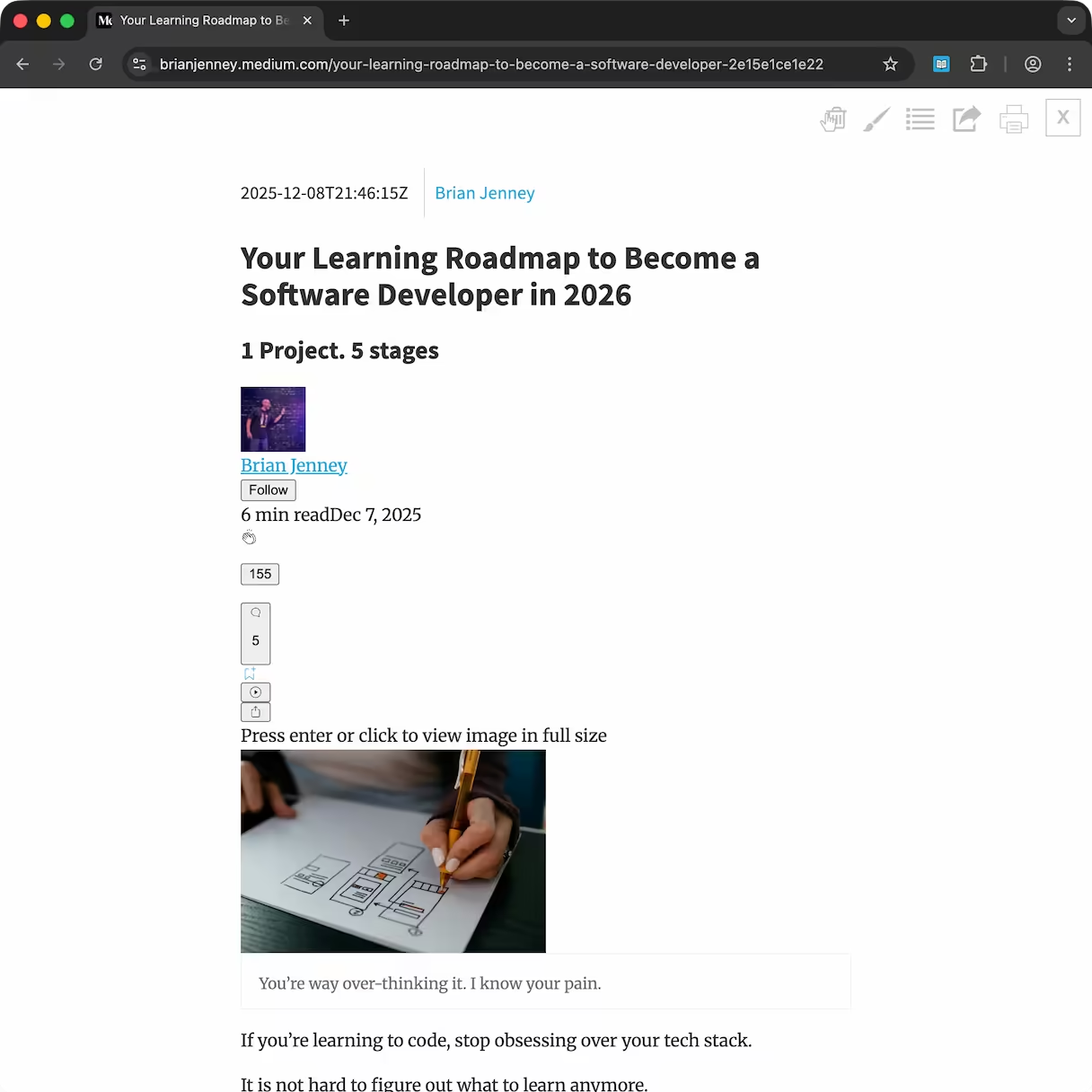
Just Read passes Readability output through largely unchanged — author thumbnails, follow buttons, like and comment widgets, and visually hidden text like "Press enter or click to view [...]" are not removed in this medium article.
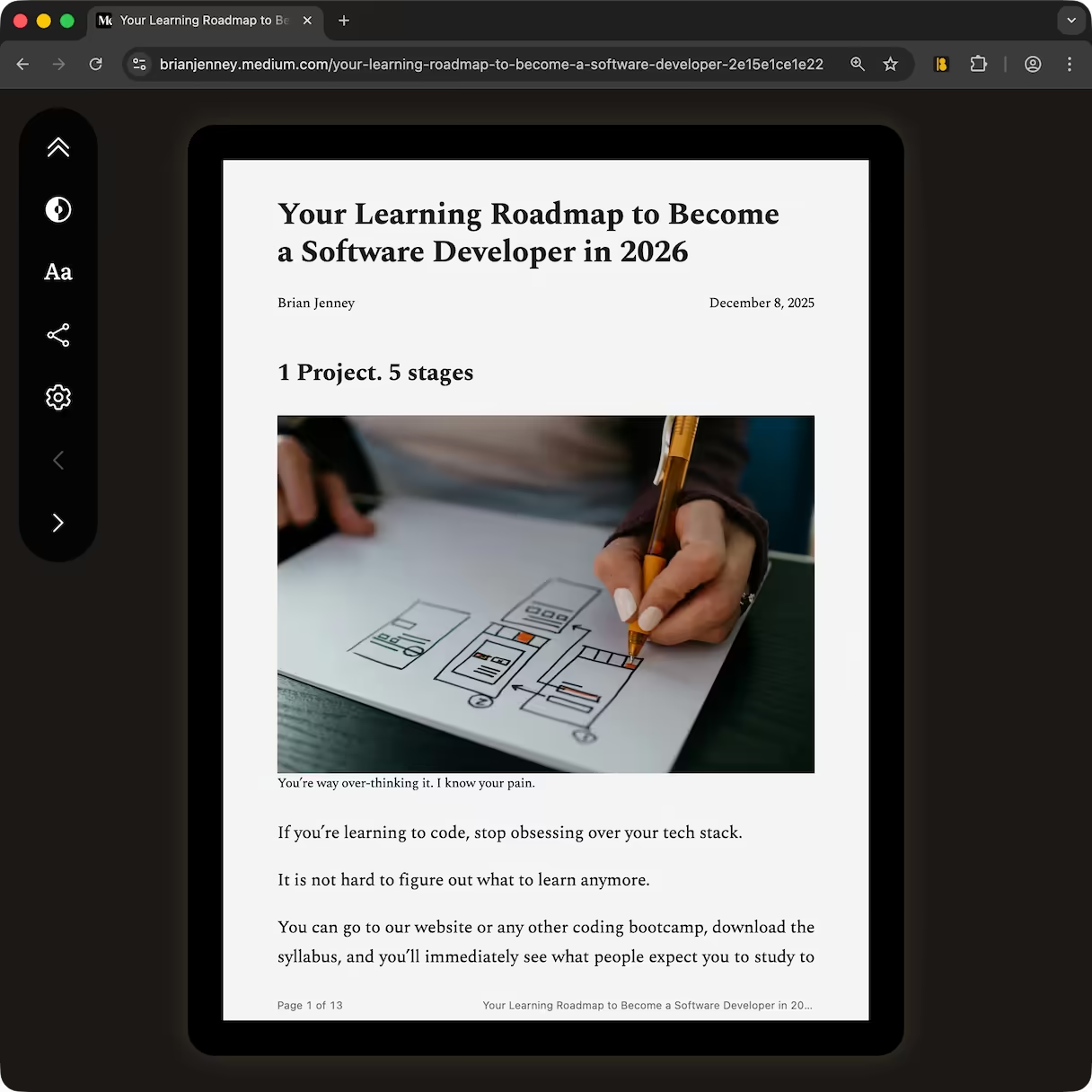
BookLike examines computed styles to catch visually hidden elements, and runs heuristics built around real-world sites to strip non-article content like UI buttons and widgets. What's left is normalized into clean figures and prose.
What Just Read shows isn't a bug — it's what Readability returns for that article, rendered faithfully. The web is not a document format. It's a rendering target that happens to contain documents, and the moment you try to extract and reformat that content yourself, you're dealing with structural noise that is impossible to detect with 100% precision.
The Iframe Architecture and Content Security Policies
The reader renders inside an injected iframe, isolated from the host page's CSS and JavaScript. No style bleed, no script interference.
Getting fonts into that iframe was harder than expected. Loading @font-face declarations with CSS url() references can easily be blocked by font-src CSP headers the extension has no control over. The workaround is to load fonts as ArrayBuffers and inject them via the FontFace API directly.
Proper print support is more complex than anticipated as well. When the user selects File → Print, the reader iframe is treated as a fixed-size rectangle — the browser slices it across pages at the pixel boundary, splitting lines of text in half. Calling print() on the iframe's contentWindow would solve this issue, however it can be blocked by CSP headers and system-level printing which can't be intercepted anyway.
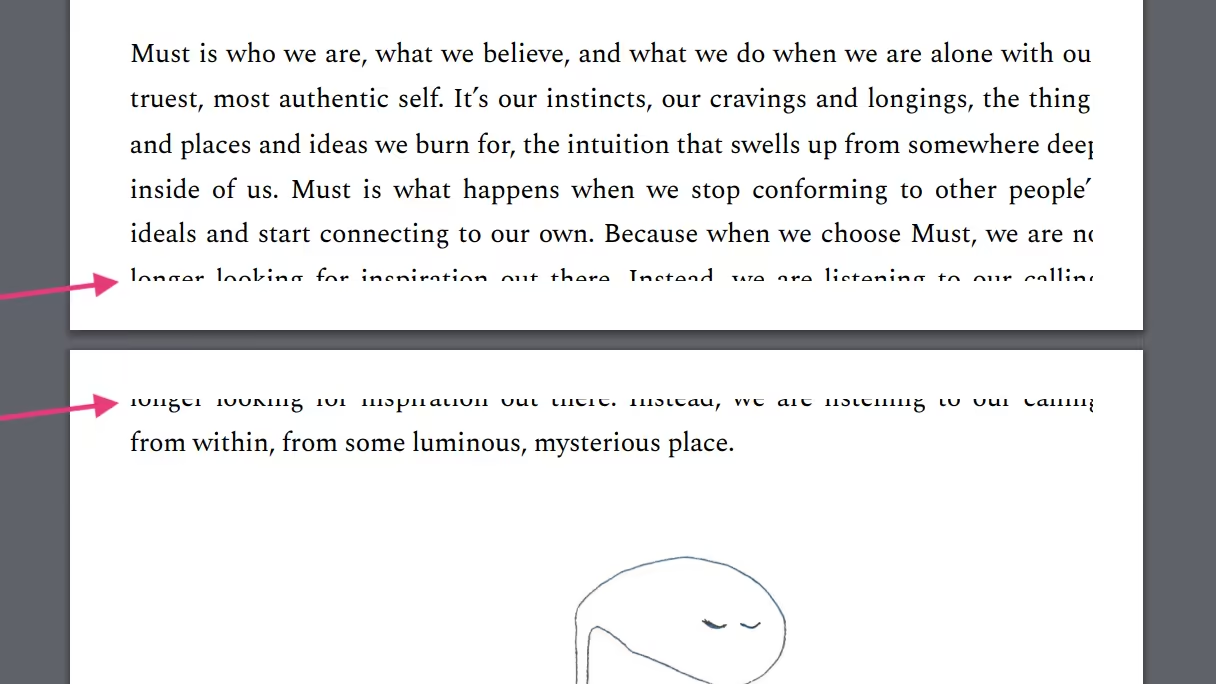
print() on its parent window 😬The solution I came up with handles all those issues at once: a clean copy of the extracted content is injected into a hidden div on the host page onbeforeprint to take advantage of the browser's layout engine. Using basic print CSS, all the magic behind the scenes is invisible to the user. Printing just works, on any page regardless of CSPs.
Back to Reading
One consequence of building exactly what you envisioned is that you actually use it yourself. I activate BookLike almost every day, even for short-form content. In the past I used to skip articles just because a site had no dark mode.
Not a bad trade for something that turned out to be less trivial than expected: a few months of digging into the curious world of Chrome extensions, a lifetime of reading without friction.